
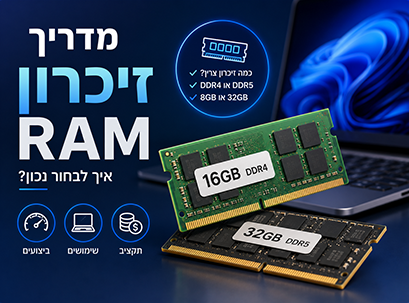
When looking for a new computer, there is one specification that almost always attracts attention – RAM .
Whether you're comparing laptops, desktops, Macs, or Windows computers, you'll find models with 8GB, 16GB, 24GB, 32GB, and even 64GB of RAM.
For many, the higher the number of gigabytes, the faster the computer seems to be.
But is this really true?
One of the most common questions we hear from customers is:
"How much RAM do I really need?"
The answer depends entirely on how you use your computer.
A student who writes papers, surfs the Internet, and attends online classes does not need the same amount of memory as a video editor working with 4K files, or a software developer running multiple workspaces simultaneously.
On the other hand, choosing too little memory can also affect the user experience.
When opening multiple programs at the same time, working with dozens of browser tabs, editing large files, or running professional software, a lack of memory can cause your computer to work slower and respond with delay.
Therefore, choosing the right amount of RAM is not a matter of purchasing the highest specification, but rather of adapting the computer to your needs – while maintaining the right balance between performance, lifespan, and budget.
In this guide, we will explain what RAM is, how it affects computer performance, how much memory is really needed for each type of use, and what is important to know before purchasing a new computer.
At the end of reading, you will be able to understand exactly how much memory is right for you – and choose your next computer more wisely.
What is RAM?
RAM is an abbreviation for Random Access Memory , or in Hebrew – random access memory .
This is one of the most important components in any computer, because it temporarily stores all the information the processor needs while you work.
https://www.adcs.co.il/the-difference-between-ssd-hdd-and-ram, RAM does not permanently store files.
Instead, it serves as the computer's working memory.
When you open a web browser, edit a document, launch Photoshop, watch a video, or play a game – the information needed for the action is first loaded into RAM, so that the processor can access it quickly.
You can simulate RAM on your desktop.
Imagine you are working on a large project.
Your filing cabinet contains all your documents – this is the SSD drive.
The desktop is where you place the documents you are currently using – and this is RAM.
The larger the desk, the more documents you can spread out on it and work comfortably without constantly putting things back in the cupboard.
If the desk is small, you will constantly have to move documents from place to place, which will slow down the pace of work.
This is exactly how the computer works.
The more RAM you have, the more programs, tabs, and files you can run at the same time without the system slowing down.
Why is RAM important?
Almost every action you perform on your computer uses RAM.
Some operations require little memory, and some consume much more.
for example:
Browsing the internet consumes relatively little.
Watching videos uses more memory than reading emails.
Working with dozens of open tabs in a browser increases memory consumption.
Editing high-resolution images requires significantly more RAM.
Video editing, software development, working with 3D models, and artificial intelligence applications can use a large amount of memory at once.
When a computer has enough RAM, everything feels fast and smooth.
Programs open quickly, switching between them is done without delays, and multitasking becomes much more convenient.
לעומת זאת, כאשר זיכרון ה-RAM מתמלא, מערכת ההפעלה מתחילה להשתמש בכונן ה-SSD כזיכרון זמני.
למרות שכונני SSD מהירים מאוד, הם עדיין איטיים משמעותית מזיכרון RAM, ולכן ביצועי המחשב עלולים להיפגע.
במצב כזה אתם עשויים להרגיש:
פתיחה איטית של תוכנות.
מעבר איטי בין חלונות.
לשוניות בדפדפן שמתרעננות מחדש.
ירידה בביצועים בזמן ריבוי משימות.
זמני ייצוא ארוכים יותר בעריכת וידאו.
תחושת איטיות כללית של המערכת.
זו בדיוק הסיבה לכך שכמות זיכרון ה-RAM משפיעה באופן ישיר על חוויית העבודה היומיומית.
RAM לעומת אחסון (SSD) – מה ההבדל?
אחת הטעויות הנפוצות ביותר היא לבלבל בין זיכרון RAM לבין נפח האחסון של המחשב.
למרות ששניהם נמדדים בגיגה-בייט (GB), הם ממלאים תפקידים שונים לחלוטין.
זיכרון RAM קובע כמה מידע המחשב יכול לעבד ולעבוד איתו באותו רגע.
לעומת זאת, כונן האחסון (SSD) קובע כמה קבצים, תוכנות ותמונות ניתן לשמור במחשב.
אפשר לחשוב על כך כך:
כונן ה-SSD הוא ארון המסמכים שלכם.
הוא שומר את מערכת ההפעלה, התוכנות, התמונות, הסרטונים והמסמכים.
זיכרון ה-RAM הוא שולחן העבודה.
הוא מחזיק רק את הקבצים והתוכנות שבהם אתם משתמשים כרגע.
כאשר מכבים את המחשב, כל המידע שנמצא ב-RAM נמחק.
לעומת זאת, כל הקבצים המאוחסנים ב-SSD נשארים בדיוק כפי שהיו.
להמחשה:
| זיכרון RAM | כונן אחסון (SSD) |
|---|---|
| זיכרון זמני | אחסון קבוע |
| משמש להפעלת תוכנות | שומר קבצים ותוכנות |
| מתאפס בעת כיבוי המחשב | המידע נשמר גם לאחר הכיבוי |
| משפיע על ריבוי משימות | משפיע על נפח האחסון הזמין |
| מהיר משמעותית | בעל נפח גדול יותר אך איטי יותר מ-RAM |
הבנת ההבדל בין RAM לבין SSD חשובה במיוחד.
הוספת נפח אחסון לא תשפר את ריבוי המשימות, בדיוק כפי שהוספת RAM לא תגדיל את המקום הפנוי לשמירת קבצים.
לכל אחד מהם יש תפקיד שונה, ושניהם חיוניים לביצועים הכוללים של המחשב.
כיצד זיכרון RAM משפיע על ביצועי המחשב?
בעבר, זיכרון RAM היה משמעותי בעיקר עבור משתמשים מקצועיים.
כיום, כמעט כל פעולה במחשב מושפעת ממנו.
מערכות ההפעלה, הדפדפנים, שירותי הענן, תוכנות התקשורת והיישומים המודרניים צורכים הרבה יותר זיכרון מאשר בעבר.
לכן, גם משתמשים ביתיים יכולים להרגיש בהבדל בין מחשב עם מעט זיכרון לבין מחשב בעל נפח RAM מתאים.
נבחן מספר דוגמאות מחיי היום־יום.
גלישה באינטרנט
אתרי האינטרנט של היום מורכבים הרבה יותר מבעבר.
כל לשונית בדפדפן טוענת תמונות, סרטונים, פרסומות, קבצי JavaScript ותכנים אינטראקטיביים נוספים.
פתיחת מספר קטן של לשוניות כמעט ואינה מורגשת.
אך כאשר פותחים עשרות לשוניות במקביל, מאזינים למוזיקה, משתתפים בשיחת וידאו ועובדים על מסמך – צריכת הזיכרון גדלה במהירות.
זו אחת הסיבות לכך שמשתמשים רבים מרגישים שיפור משמעותי כאשר הם עוברים מ-8GB ל-16GB RAM.
עבודה משרדית
רוב העובדים מפעילים בו-זמנית מספר תוכנות כמו:
Microsoft Word
Excel
Outlook
Microsoft Teams
Zoom
Google Workspace
Slack
בנפרד, כל אחת מהתוכנות אינה צורכת הרבה זיכרון.
אך כאשר כולן פתוחות במקביל, דרישת הזיכרון עולה משמעותית.
כמות RAM מספקת מאפשרת לעבור בין מסמכים, גיליונות אלקטרוניים, שיחות וידאו ומיילים בצורה חלקה וללא עיכובים.
עריכת תמונות
תוכנות כמו Adobe Photoshop, Lightroom, Capture One ו-Affinity Photo טוענות את קבצי התמונות לזיכרון בזמן העבודה.
ככל שהתמונות גדולות יותר, מכילות יותר שכבות או שאתם עובדים על מספר קבצים במקביל – כך צריכת ה-RAM עולה.
כאשר יש למחשב מספיק זיכרון, המעבר בין תמונות מהיר יותר, פעולות העריכה מתבצעות בצורה חלקה יותר וזמני ההמתנה מתקצרים.
עבור צלמים ומעצבים גרפיים, זיכרון RAM מספק יכול להשפיע באופן משמעותי על חוויית העבודה היומיומית.
עריכת וידאו
עריכת וידאו היא אחת המשימות התובעניות ביותר עבור כל מחשב.
כאשר עובדים עם סרטוני 4K או 8K, מוסיפים אפקטים, מתקנים צבע או עורכים מספר שכבות וידאו בו־זמנית, כמות הזיכרון הזמינה הופכת לגורם משמעותי בביצועים.
למרות שגם מחשבים עם פחות RAM מסוגלים להריץ תוכנות עריכה, זיכרון גדול יותר מאפשר עבודה חלקה יותר, זמני תצוגה מקדימה קצרים יותר וביצועים טובים יותר בפרויקטים מורכבים.
פיתוח תוכנה
Software developers often run multiple applications simultaneously.
A typical work environment can include:
Code editor
Web browser
Local server
Database
Docker
Virtual machines
Communication tools like Teams or Slack
Each of these applications uses RAM.
When everyone is working at the same time, memory capacity becomes one of the most important components for maintaining continuous and fast work.
Gaming
Modern computer games also use a larger amount of memory compared to the past.
In addition to the game itself, many players simultaneously operate:
Discord
Web browser
Spotify
Recording or broadcasting software
Performance monitoring software
When a computer has enough RAM, all of these applications can run simultaneously without affecting the gaming experience.
It's important to remember that RAM is only part of the equation, and game performance is also affected by the processor (CPU) and graphics card (GPU).
Artificial intelligence applications and professional software
The field of artificial intelligence (AI) is evolving rapidly, and more users are now working with AI models, image creation tools, smart application development, and advanced data processing.
In addition, engineering software, scientific simulations, 3D models, and large projects sometimes consume significant amounts of memory.
In such cases, RAM is not just an advantage – but an essential component that enables continuous and efficient work.
How much RAM do you really need?
Once you understand how RAM affects computer performance, the most important question comes:
How much RAM should you really buy?
There is no one answer that fits everyone.
The appropriate amount of memory depends on how you use your computer, the programs you run, and how long you plan to use it.
Choosing too small an amount could make your computer feel slow in a few years.
On the other hand, purchasing a much larger memory capacity than you will actually use is an unnecessary expense.
The goal is to choose an amount of memory that will provide excellent performance today, and will allow the computer to continue to work smoothly in the future.
Is 8GB RAM enough?
For many years, 8GB of RAM was considered the standard configuration on most computers.
Today, reality has changed.
Operating systems, browsers, and work programs have become much more demanding, so memory consumption has also increased.
For basic users, 8GB can still be enough.
for example:
Internet browsing
Sending and receiving emails
Working with Microsoft Office
Watching videos
Video calls
Basic studies
If you typically run a small number of programs at the same time, 8GB may provide a good user experience.
However, it is worth considering that this amount leaves very little room for future needs.
Having a large number of open tabs, working with multiple programs at the same time, or using creative software can quickly exhaust memory capacity.
Therefore, for most users purchasing a new computer in the coming years, 8GB is no longer the recommended long-term choice.
Why has 16GB RAM become the new standard?
Today, 16GB RAM is the recommended choice for most users.
They provide an excellent balance between performance, multitasking, and value for money.
With 16GB of memory you can work comfortably with:
Multiple Office programs at the same time
Dozens of tabs open in the browser
Video calls
Photo editing
Viewing high-quality content
Daily work software
Quickly switch between applications
This is a configuration that suits most users, including:
Students
Office workers
Business owners
Teachers
Working from home
Home users
In addition, it provides a margin of safety for the coming years, when software and operating systems will continue to require more memory.
For most computer buyers in 2026, 16GB is no longer an upgrade – but the recommended starting point.
Who is 24GB RAM suitable for?
בשנים האחרונות, ובעיקר עם השקת מחשבי Apple Silicon החדשים, נוספו תצורות זיכרון חדשות כמו 24GB RAM.
מדובר בנפח זיכרון שנמצא בדיוק בין 16GB ל-32GB, ומיועד למשתמשים שזקוקים ליותר מריבוי משימות רגיל, אך אינם עובדים בעומסים כבדים באופן קבוע.
24GB RAM יכולים להיות בחירה מצוינת אם אתם:
עורכים ספריות גדולות של תמונות.
עובדים באופן קבוע עם Adobe Creative Cloud.
מפתחים תוכנה.
מפעילים מספר תוכנות במקביל לאורך כל היום.
עורכים סרטוני 4K באופן קבוע.
עובדים עם מספר שולחנות עבודה (Virtual Desktops).
עבור משתמשים המתכננים לשמור על המחשב למשך שנים רבות, 24GB מספקים מרווח ביטחון נוסף ומאפשרים להתמודד טוב יותר עם תוכנות עתידיות שידרשו יותר זיכרון.
מתי כדאי לבחור ב-32GB RAM?
32GB RAM מיועדים בעיקר למשתמשים מקצועיים שעובדים עם יישומים הצורכים כמויות גדולות של זיכרון.
ביניהם:
עריכת וידאו מקצועית.
פרויקטים מורכבים ב-Adobe Photoshop.
Motion Graphics ואנימציה.
פיתוח תוכנה מתקדם.
עבודה עם מכונות וירטואליות.
תוכנות הנדסה.
סימולציות מדעיות.
מסדי נתונים גדולים.
פיתוח יישומי AI.
הפקת מוזיקה מקצועית.
יישומים אלה שומרים כמויות גדולות של מידע בזיכרון בזמן העבודה.
כאשר עובדים על פרויקטים מורכבים, נפח RAM גדול יותר מאפשר עבודה חלקה יותר, מעבר מהיר בין יישומים וזמני המתנה קצרים יותר.
עבור יוצרים, מפתחים ואנשי מקצוע, 32GB הם השקעה מצוינת לטווח הארוך.
האם באמת צריך 64GB RAM או יותר?
עבור רוב המשתמשים, התשובה פשוטה:
כנראה שלא.
תצורות של 64GB, 96GB ואפילו יותר מיועדות בעיקר למשימות מקצועיות ומתקדמות במיוחד.
לדוגמה:
הפקות קולנוע מקצועיות.
מידול ותלת־ממד מורכב.
סימולציות הנדסיות גדולות.
פיתוח מודלים של בינה מלאכותית.
וירטואליזציה מתקדמת.
מחקר מדעי.
עבודה עם מסדי נתונים ענקיים.
עיבוד כמויות עצומות של מידע.
משתמשים הזקוקים לכמויות זיכרון כאלה בדרך כלל יודעים זאת מראש, משום שהתוכנות שבהן הם עובדים מציינות במפורש את דרישות המערכת.
However, for most users, buying 64GB just because it sounds "more powerful" won't provide a noticeable improvement in everyday use.

Does more RAM always make a computer faster?
One of the most common myths in the computer world is:
"The more RAM, the faster the computer will be."
In practice, the reality is much more complex.
RAM is just one of the components that affect computer performance.
The following components also have a significant impact:
The processor (CPU)
Storage drive (SSD)
Graphics card (GPU)
The cooling system
Software and operating system quality
for example:
A computer with 64GB of RAM and a basic processor will not necessarily be faster than a computer with 16GB of RAM and an advanced processor.
Likewise, going from 16GB to 32GB won't make your computer feel faster if your daily usage doesn't even utilize the full 16GB.
Additional memory only improves performance when there is a true memory limitation.
Therefore, it is important to understand the nature of your work before choosing the appropriate amount of RAM.
Can the RAM be upgraded in the future?
The answer depends on the type of computer you purchase.
Desktop computers
In most cases, desktop computers offer the most flexibility.
RAM can usually be added even years after purchase, depending on changing needs.
This is one of the reasons why desktop computers are able to accompany users for many years.
Windows laptops
On some Windows computers, the RAM can be upgraded, while on others the memory is soldered to the motherboard and cannot be replaced.
Business computers and workstations often include upgrade options, while many thin and light computers do not.
Before purchasing, it is recommended to check whether the model you have chosen supports future memory upgrades.
Macs with Apple Silicon
In the new Macs based on Apple Silicon, the memory is part of the Unified Memory system and is integrated directly into the processor.
This means that RAM cannot be added or upgraded after purchasing the computer.
Therefore, it is especially important to choose in advance the amount of memory that will also suit your future needs.
DDR4, DDR5 and LPDDR5X – what's the difference?
When comparing computers, you may encounter different types of memory.
Below are the most common.
DDR4
DDR4 was the most common standard for many years.
Even today, it provides excellent performance for most users, and is still found in business computers and many entry-level computers.
DDR5
DDR5 is the new generation of RAM memories.
It offers higher bandwidth, better efficiency, and improved performance in heavy workloads.
Most new mid-range and premium computers already come with DDR5.
LPDDR5X
LPDDR5X was developed primarily for ultra-thin laptops.
It offers high performance alongside lower power consumption, which contributes to long battery life.
In most cases, this memory is soldered to the motherboard and cannot be upgraded after purchase.
Common mistakes when choosing RAM
Before you purchase a new computer, it's worth becoming familiar with a number of common mistakes that may lead to a choice that isn't suitable for your needs.
Understanding these mistakes will help you make a better decision and enjoy your computer for years to come.
Choosing too little RAM
One of the most common mistakes is choosing the most basic memory configuration just to save on the purchase cost.
Although 8GB of RAM can still be enough for basic use, software, operating systems, and browsers today consume much more memory than in the past.
A computer with too little memory can feel slow after just a few years, especially if you start using more software or more complex tasks.
If you plan to use your computer for a long time, it is sometimes more cost-effective to invest a little more today.
Buying too much RAM unnecessarily
לא כל משתמש זקוק ל-32GB או ל-64GB RAM.
אם עיקר השימוש שלכם כולל גלישה באינטרנט, עבודה עם Office, צפייה בסרטים ופגישות וידאו, לא תרגישו הבדל משמעותי בין 16GB ל-32GB.
רכישת כמות זיכרון גבוהה בהרבה מהנדרש אינה בהכרח תשפר את ביצועי המחשב, אלא רק תגדיל את עלות הרכישה.
חשוב לבחור את נפח הזיכרון בהתאם לאופי השימוש שלכם ולא לפי המספר הגבוה ביותר.
בלבול בין RAM לנפח אחסון
משתמשים רבים עדיין מתבלבלים בין זיכרון RAM לבין נפח האחסון של המחשב.
זיכרון RAM משפיע על מהירות העבודה וריבוי המשימות.
לעומת זאת, כונן ה-SSD קובע כמה קבצים, תוכנות, תמונות וסרטונים ניתן לשמור במחשב.
אם המחשב שלכם איטי בזמן עבודה עם מספר תוכנות, הוספת נפח אחסון לא תפתור את הבעיה.
באותה מידה, הוספת RAM לא תגדיל את המקום הפנוי לשמירת קבצים.
אלו שני רכיבים שונים, ולכל אחד מהם תפקיד אחר לחלוטין.
התעלמות מאפשרויות השדרוג
לפני רכישת מחשב חדש, מומלץ לבדוק האם ניתן יהיה לשדרג את זיכרון ה-RAM בעתיד.
בחלק מהמחשבים הניידים ובמרבית המחשבים הנייחים ניתן להוסיף זיכרון גם לאחר הרכישה.
לעומת זאת, במחשבי Mac עם Apple Silicon ובמחשבים ניידים דקים רבים, הזיכרון מולחם ללוח האם ואינו ניתן לשדרוג.
אם אתם חושבים שהצרכים שלכם עשויים לגדול בשנים הקרובות, כדאי לקחת זאת בחשבון כבר בזמן הקנייה.
להסתכל רק על כמות ה-RAM
למרות שזיכרון RAM הוא רכיב חשוב מאוד, הוא אינו הגורם היחיד שמשפיע על ביצועי המחשב.
The processor, SSD drive, graphics card, cooling system, and operating system quality also affect the work experience.
A balanced computer with a high-quality processor, a fast SSD, and 16GB of RAM will in most cases provide better performance than a computer with 32GB of RAM but a weaker processor.
Therefore, it is always recommended to look at the computer as a whole and not focus only on the memory capacity.
Frequently Asked Questions
What is RAM?
RAM is your computer's temporary working memory. It stores information that programs and the operating system use in real time, allowing your computer to work quickly and switch between tasks smoothly.
Is 8GB RAM enough in 2026?
For basic use like browsing the web, working with Office, watching videos, and video calling – 8GB can still be enough. However, for most users, it is now recommended to choose at least 16GB of RAM to enjoy better performance over time.
Should you choose 16GB or 32GB RAM?
If you use your computer for school, office work, web browsing, and general multitasking, 16GB is a good choice for most users. However, professional video editing, software development, engineering, animation, and AI applications can justify going beyond 32GB.
Can the RAM be upgraded in the future?
It depends on the computer model. Most desktops and some Windows computers allow you to upgrade RAM, while Apple Silicon Macs and many thin laptops don't allow you to add memory after purchase.
Does more RAM improve gaming performance?
Having enough RAM can improve your gaming experience, especially when you have other programs running in the background. However, gaming performance is also greatly affected by your processor and graphics card.
What is the difference between DDR4 and DDR5?
DDR5 is the next generation of RAM and offers higher bandwidth, better efficiency, and improved performance in heavy workloads. However, DDR4 still provides excellent performance for most users.
How much RAM do you need for video editing?
For basic video editing, 16GB can be enough. If you regularly work with 4K videos, complex projects, or professional software, you may want to opt for 32GB of RAM or more.
In conclusion
RAM is one of the most important components in any computer, but choosing the right amount isn't just about choosing the highest number.
The goal is to choose an amount of memory that suits the way you work today, as well as your needs in the coming years.
For most users, 16GB of RAM is currently the ideal choice and offers an excellent combination of performance, multitasking, and value for money.
Professional users in the fields of video editing, software development, engineering, content creation, and artificial intelligence may benefit from 24GB or 32GB, while larger amounts of memory are primarily intended for ultra-professional workloads.
Before you purchase a new computer, it is recommended to think about the nature of your work, the software you use, the length of time you plan to use the computer, and whether it will be possible to upgrade it in the future.
At Amirim, we believe that the best computer is not the one with the highest specs, but the one that is tailored to your exact needs. Our team of experts will be happy to help you choose the right amount of RAM, and customize a computer that will provide excellent performance both today and in the years to come.