
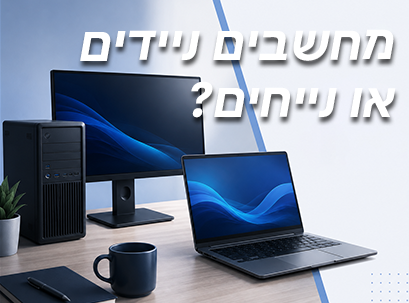
When buying a new computer, most people start comparing processors, RAM, storage, or price. But before all that, there's one more important decision that can affect your experience for years to come:
Should you choose a laptop or a desktop computer?
For many, the answer seems obvious. Laptops have become the most popular solution in recent years thanks to their portability, light weight, and impressive performance. On the other hand, desktops are still considered the preferred choice for users who need maximum power, upgradeability, and comfort for long hours of work.
But is a laptop really right for everyone?
And is a desktop computer still the best choice for professional work?
The answer depends much less on the technical specifications and much more on how you work.
Do you work from multiple locations during the week?
Do you travel often?
Does the computer always stay on the same desk?
Is it important for you to upgrade your computer in the future?
Do you work with multiple screens?
And how important is battery life to you?
These are the questions that should guide the selection process.
Quite a few people buy a laptop just because it has become standard, but find that it hardly ever leaves the house. Others invest in a powerful desktop computer, but later realize that they actually needed flexibility and work from anywhere.
Making the right choice at the beginning can save you money, improve productivity, and provide a better work experience for years to come.
In this guide, we will explain the differences between laptops and desktops, compare the advantages and disadvantages of each, and help you understand which solution best suits your work style and lifestyle.
Whether you are buying your first computer or planning to upgrade your existing computer, this guide will help you make an informed and safe decision.
Start with your lifestyle – not your computer
One of the most common mistakes when buying a new computer is to focus on the computer itself before thinking about how you are actually going to use it.
Many people start comparing processors, graphics cards, or prices, without stopping for a moment to ask the really important question:
How will the computer fit into my daily routine?
The answer to this question will determine whether a laptop or desktop computer will be the right choice for you.
Imagine two people with the same budget.
The first person works from several different locations throughout the week. One day he is in the office, the next day he works from home, then he attends meetings with clients and sometimes even works from coffee shops or co-working spaces.
The other person always works from the same workstation. His computer doesn't move, it's connected to two monitors, a printer, external drives, and other equipment he uses every day.
Even though they both have the same budget and perhaps even the same performance requirements, the computer that is right for each of them will be completely different.
This is why choosing between a laptop and a desktop computer should start first with your lifestyle, and only then with the technical specifications.
Ask yourself the following questions:
Before you compare models or brands, try answering a few simple questions.
Where will you use the computer?
Is most of your work done in the office?
Do you work mainly from home?
Do you travel to meetings regularly?
Do you study on campus?
Do you work from coffee shops or co-working spaces?
If you frequently move between different locations, mobility becomes one of the most important considerations.
On the other hand, if the computer hardly moves from the desk, there may be no need to pay for a benefit that you won't really take advantage of.
How often do you travel?
Some people take their computer with them every day.
Others hardly move it.
A laptop allows you to take your complete workspace anywhere.
A desktop computer, on the other hand, is designed to remain in a fixed location and offer a stable and comfortable work environment over time.
How much space do you have on your desk?
Your work environment also influences your choice.
A laptop takes up very little space and can be closed and stored when not in use.
In contrast, a desktop computer requires space for:
Computer case
screen
keyboard
mouse
Cables
Related accessories
If your work environment is small, this consideration is also important.
Do you need to work without a power connection?
One of the biggest advantages of a laptop is the ability to continue working even when there is no power outlet available.
Whether you're at the airport, at a lecture, in a coffee shop, or simply working from another room at home – the battery gives you complete freedom.
In contrast, a desktop computer must be permanently connected to electricity.
Are your needs likely to change in the future?
Most people don't replace their computer every year.
In many cases, a new computer should last you for five years or even more.
Therefore, it is also worth thinking about the future.
Is your workload expected to increase?
Will you start using heavier software?
Would you like to work with two screens in the future?
Is it important for you to upgrade your computer instead of replacing it?
These questions can help you choose a computer that will continue to serve you for several years to come.
What is a laptop?
A laptop is a personal computer that combines all the components needed for work into one compact unit.
Unlike a desktop computer, everything you need is already inside the computer itself, including:
screen
keyboard
Touchpad
Webcam
Speakers
microphone
battery
Wi-Fi and Bluetooth connectivity
All you have to do is open your computer, press the power button, and start working.
In recent years, laptops have undergone a real revolution.
Thanks to advanced processors and significant improvements in energy efficiency, modern laptops are also capable of handling tasks that were previously reserved primarily for desktop computers.
Today, you can edit photos, create presentations, develop software, participate in video calls, and even edit 4K videos – all from a single laptop.
For many users, the ability to work from anywhere is the most significant benefit.
The advantages of a laptop
Work from anywhere
The biggest advantage of a laptop is freedom.
You are not limited to one desk or a fixed office.
You can work:
From home
From the office
From the university
From a cafe
During work trips
In meetings with clients
Almost anywhere there is an internet connection
In the era of hybrid and remote work, this is a significant advantage for many users.
Everything is already built in.
A laptop comes ready to work.
There is no need to purchase a separate screen, keyboard, webcam, or speakers.
All necessary components are already included in the computer itself, making installation extremely quick and simple.
Long battery life
Computer battery technology has improved significantly in recent years.
Many models are now capable of providing a full day of work without the need for charging.
For students, business people, workers from home, or people who are on the road a lot, this is one of the most important benefits.
Simple and quick installation
Unlike a desktop computer, a laptop requires almost no installation.
Take it out of the box, connect to the Wi-Fi network and start working.
This is one of the reasons why many users prefer a laptop – especially if they are looking for a simple and easy-to-use solution.
Lower power consumption
Most laptops are designed to be extremely energy efficient.
Compared to a desktop computer with similar specifications, a laptop typically consumes less power, generates less heat, and operates more quietly.
For users who work many hours each day, this is an advantage that can affect both electricity consumption and a more pleasant work environment.
Who is a laptop suitable for?
A laptop is the right choice for you if you:
Working from multiple locations throughout the week.
Travel frequently.
Need long battery life.
Working from home and the office alternately.
Prefer a compact solution that doesn't take up much space.
Regularly attend meetings or studies.
Looking for maximum flexibility.
For most users, the convenience and portability of a laptop are the most significant benefits.

What is a desktop computer?
A desktop computer is designed for permanent work in one place and offers a work environment focused on long-term performance, comfort, and flexibility.
Unlike a laptop, a desktop computer consists of several separate components that work together as a single system.
It usually includes:
Computer case
screen
keyboard
mouse
Webcam and microphone (if needed)
Although it requires more desktop space, it offers significant benefits for many users.
One of the main advantages of a desktop computer is that it is not limited by its physical size.
Thanks to the larger chassis, it is possible to integrate more powerful processors, advanced graphics cards, efficient cooling systems, and hardware designed for intensive work over time.
For users whose computer remains in a fixed location, these advantages make the desktop computer an especially cost-effective choice.
Additionally, desktop computers are easier to upgrade and maintain. In most cases, you can add RAM, replace SSDs, upgrade your graphics card, and even replace other components without purchasing a completely new computer.
This is one of the reasons why desktops continue to be the preferred choice for many professionals, creators, engineers, gamers, and businesses.
The advantages of a desktop computer
Higher performance
One of the most notable advantages of a desktop computer is performance.
The large chassis allows for the installation of more powerful components, capable of handling heavy workloads over time.
A desktop computer is particularly suitable for tasks such as:
Video editing
Modeling and 3D
Engineering simulations
Software development
Graphic design
Gaming
For users who work with heavy software on a daily basis, a desktop computer often provides more stable and faster performance.
More efficient cooling
The harder the computer works, the more heat it produces.
Desktop computers are typically equipped with larger fans, advanced heatsinks, and better airflow.
An efficient cooling system provides several benefits:
Stable performance over time.
Lower working temperature.
פחות האטה של המעבד בזמן עומס.
אורך חיים ארוך יותר לרכיבי המחשב.
למי שעובד שעות רבות עם תוכנות כבדות, מדובר ביתרון משמעותי.
אפשרויות שדרוג נוחות
יתרון משמעותי נוסף של מחשב נייח הוא האפשרות לשדרג אותו בעתיד.
במקום להחליף את כל המחשב, ניתן במקרים רבים לשדרג רק את הרכיבים הדרושים.
לדוגמה:
להוסיף זיכרון RAM.
להגדיל את נפח האחסון.
להחליף כרטיס מסך.
לשדרג את מערכת הקירור.
להוסיף כונני אחסון נוספים.
כך ניתן להאריך משמעותית את חיי המחשב ולהתאים אותו לצרכים המשתנים שלכם.
תמורה טובה יותר למחיר
במקרים רבים, מחשב נייח מציע ביצועים גבוהים יותר בהשוואה למחשב נייד באותו טווח מחירים.
בנוסף, האפשרות לשדרג רכיבים בעתיד מאפשרת להמשיך להשתמש באותו מחשב במשך שנים רבות, מבלי להחליף את כל המערכת.
לכן, עבור משתמשים שאינם זקוקים לניידות, מחשב נייח יכול להיות השקעה משתלמת יותר בטווח הארוך.
סביבת עבודה נוחה יותר
מחשב נייח מאפשר לבנות סביבת עבודה ארגונומית ונוחה במיוחד.
ניתן לחבר אליו:
מסכים גדולים.
שני מסכים או יותר.
מסכי UltraWide.
זרועות למסכים.
מקלדת מלאה.
עכבר ארגונומי.
עבור מי שעובד שעות רבות מול המחשב, סביבת עבודה כזו יכולה לשפר משמעותית את הנוחות ואת הפרודוקטיביות.
למי מתאים מחשב נייח?
מחשב נייח יכול להיות הבחירה הנכונה אם אתם:
עובדים מאותה עמדת עבודה בכל יום.
זקוקים לביצועים מקסימליים.
עובדים עם מספר מסכים.
רוצים לשדרג את המחשב בעתיד.
משתמשים בתוכנות מקצועיות כבדות.
מחפשים תמורה גבוהה יותר למחיר.
עבור משתמשים רבים, מחשב נייח מציע את השילוב הטוב ביותר בין ביצועים, נוחות ואורך חיים.
מחשב נייד או מחשב נייח – מה באמת ההבדל?
למרות ששני סוגי המחשבים מסוגלים לבצע את אותן משימות בסיסיות, הם תוכננו למטרות שונות.
הטבלה הבאה מסכמת את ההבדלים העיקריים ביניהם.

ניידות
זהו ההבדל הבולט ביותר בין מחשב נייד למחשב נייח.
מחשב נייד תוכנן כך שתוכלו לקחת אותו איתכם לכל מקום. בין אם אתם עובדים מהבית, מגיעים למשרד, לומדים באוניברסיטה, נפגשים עם לקוחות או נוסעים לעבודה – המחשב הנייד מאפשר לכם להמשיך לעבוד כמעט מכל מקום.
לעומת זאת, מחשב נייח מיועד להישאר בעמדת עבודה קבועה. אמנם ניתן להעביר אותו ממקום למקום, אך הוא אינו נועד לכך באופן שוטף.
אם הניידות היא חלק בלתי נפרד מהשגרה שלכם, מחשב נייד יהיה בדרך כלל הבחירה הנכונה.
ביצועים
המחשבים הניידים של היום חזקים מאי פעם, אך למחשבים נייחים עדיין יש יתרון בכל הנוגע לביצועים לאורך זמן.
בזכות מערכות קירור גדולות יותר ומקום פנימי רחב יותר, מחשבים נייחים מסוגלים להתמודד עם עומסי עבודה כבדים במשך שעות ארוכות מבלי לפגוע בביצועים.
עבור עבודה משרדית, לימודים, גלישה באינטרנט או עריכת תמונות בסיסית – גם מחשב נייד וגם מחשב נייח יספקו ביצועים מצוינים.
לעומת זאת, אם אתם עובדים עם תוכנות כבדות לעריכת וידאו, תלת־ממד, סימולציות הנדסיות או בינה מלאכותית, מחשב נייח יספק בדרך כלל ביצועים גבוהים ויציבים יותר לאורך זמן.
אפשרויות שדרוג
אחד היתרונות הגדולים ביותר של מחשב נייח הוא האפשרות לשדרג אותו בעתיד.
במרבית המקרים ניתן להוסיף או להחליף:
זיכרון RAM
כונני SSD
כרטיס מסך
מערכת קירור
ספק כוח
רכיבי אחסון נוספים
לעומת זאת, במחשבים ניידים אפשרויות השדרוג מוגבלות יותר.
בדגמים מסוימים ניתן לשדרג את נפח האחסון בלבד, ובאחרים גם זיכרון העבודה, אך במחשבים רבים הרכיבים מולחמים ללוח האם ואינם ניתנים להחלפה.
אם חשוב לכם שהמחשב יוכל להתפתח יחד עם הצרכים שלכם, מחשב נייח מעניק גמישות גדולה יותר.
חיי סוללה
כאשר מדובר בחיי סוללה, למחשב הנייד יש יתרון ברור.
סוללה מובנית מאפשרת להמשיך לעבוד גם כאשר אין שקע חשמל בקרבת מקום.
זהו יתרון משמעותי עבור:
סטודנטים
עובדים היברידיים
אנשי עסקים
מרצים
עובדים שנמצאים לעיתים קרובות בדרכים
לעומת זאת, מחשב נייח חייב להיות מחובר לחשמל באופן רציף כדי לפעול.
סביבת העבודה
גם סביבת העבודה עצמה צריכה להשפיע על הבחירה.
מחשב נייד תופס מעט מאוד מקום.
כאשר מסיימים לעבוד, ניתן פשוט לסגור אותו ולאחסן אותו במגירה או בתיק.
לעומת זאת, מחשב נייח דורש סביבת עבודה קבועה הכוללת מסך, מקלדת, עכבר ולעיתים גם ציוד נוסף.
מצד שני, סביבת עבודה קבועה מספקת בדרך כלל נוחות גבוהה יותר לעבודה ממושכת.
עלות מול תמורה
כאשר משווים מחשבים בעלי מפרט דומה, מחשב נייח מציע בדרך כלל ביצועים גבוהים יותר באותו תקציב.
לעומת זאת, מחשב נייד כולל בתוכו מסך, מקלדת, מצלמה, רמקולים, סוללה וקישוריות אלחוטית – ולכן חלק מהעלות משקף גם את הנוחות והניידות שהוא מספק.
לכן, לא נכון להשוות מחירים בלבד.
השאלה החשובה היא איזה מחשב יספק לכם את הערך הגבוה ביותר בהתאם לאופן שבו אתם עובדים.
איזה מחשב מתאים לאורח החיים שלכם?
במקום לשאול איזה מחשב טוב יותר, כדאי לשאול:
איזה מחשב מתאים יותר לאופן שבו אני עובד?
אם אתם עובדים ממספר מקומות שונים
אם אתם עוברים באופן קבוע בין הבית, המשרד, האוניברסיטה או פגישות עם לקוחות, מחשב נייד יהיה הבחירה הטבעית.
היכולת לקחת את סביבת העבודה איתכם לכל מקום מעניקה גמישות שקשה מאוד לקבל ממחשב נייח.
אם אתם עובדים תמיד מאותו שולחן
אם רוב שעות העבודה שלכם מתבצעות מאותה עמדת עבודה, מחשב נייח עשוי להיות הבחירה המשתלמת יותר.
ביצועים גבוהים יותר, מסך גדול, סביבת עבודה נוחה ואפשרויות שדרוג הופכים אותו לפתרון מצוין לעבודה קבועה.
אם אתם מחפשים את הביצועים הגבוהים ביותר
For tasks that require extremely high processing power, such as professional video editing, animation, 3D, simulations, or working with AI models, a desktop computer will usually provide the best performance.
If mobility and flexibility are important to you
If you like to work from different locations, move between rooms in your home, work while traveling, or take your computer to meetings, a laptop will provide the most convenient work experience.
If you work with multiple screens
Laptops can also connect to external monitors, but desktop computers are pre-designed to work with multiple monitors simultaneously.
If your workspace includes two or more monitors, a desktop computer will usually be the more convenient choice.
If you plan to upgrade your computer in the future
If it is important to you to extend the life of your computer through upgrades, a desktop computer is the more appropriate solution.
Instead of replacing the entire computer, you can upgrade individual components as needed.
If you have little space
When your desk is small or you work from different spaces, a laptop is a compact solution that saves space and reduces the amount of cables and associated equipment.
If you are looking for the best long-term value
There is no one answer that fits everyone.
A laptop provides convenience, flexibility, and mobility.
A desktop computer typically provides more performance, upgrade options, and a longer lifespan.
The right choice depends on what is more important to you.