
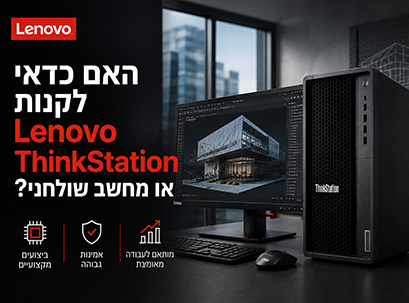
Choosing a new computer isn't as simple as it used to be. While a standard desktop computer can easily handle tasks like surfing the web, working with Microsoft Office, video calling, and regular office work, many professionals need a much more powerful and reliable system.
This is where the Lenovo ThinkStation series comes into play.
At first glance, the Lenovo ThinkStation may look like any other desktop computer, but they are actually two types of computers built for completely different purposes. The ThinkStation is a professional workstation designed to handle heavy workloads such as engineering design (CAD), architecture, 3D visualization, artificial intelligence (AI), software development, scientific research, and professional content creation. In contrast, a regular desktop computer is designed primarily for office work, home use, and everyday tasks.
So is it worth investing in a Lenovo ThinkStation, or will a regular desktop computer provide everything you need?
In this guide, we'll compare the two options and examine the differences in performance, reliability, expandability, long-term cost, and the types of users each system is suitable for, to help you choose the right computer for you.
What is Lenovo ThinkStation?
Lenovo ThinkStation is a series of professional workstations developed for users who need high computing power, maximum stability and consistent performance over time. Unlike regular desktops, ThinkStation workstations are built specifically for professional software and complex tasks that require significant processing power and high reliability.
Common users of ThinkStation include:
- Architects
- Engineers
- Product designers
- Software developers
- AI developers
- Data scientists
- Video editors
- 3D artists
- Production companies
- Research institutions
Unlike consumer PCs, ThinkStation isn't just about speed. It's designed to deliver consistent performance even during complex tasks that last for hours, sometimes days, without compromising system reliability.
One of the most notable advantages of ThinkStation is its support for ISV (Independent Software Vendor Certification).
This means that the workstations have been tested and approved to work with a wide range of professional software, including:
- AutoCAD
- Revit
- SOLIDWORKS
- CATIA
- Siemens NX
- Adobe Premiere Pro
- Autodesk Maya
- Blender
- DaVinci Resolve
For businesses and professionals, this means greater compatibility, fewer glitches, and stable performance when working with professional applications.
What is a desktop computer?
A desktop computer is a computer designed for general use and everyday tasks. Whether it is a computer purchased from a reputable manufacturer or a custom-built computer, its main purpose is to provide a convenient solution for office work, school, and home use.
Common uses include:
- Internet browsing
- Working with Microsoft Office
- Video calls
- Viewing content
- Studies
- bookkeeping
- Office work
Today, you can also find extremely powerful desktop computers that include advanced processors and dedicated graphics cards, so they are also capable of handling gaming or basic content creation.
However, in most cases these computers are designed to be more flexible and affordable, and less focused on long-term reliability, stability, or compatibility with professional software as workstations offer.
For most home and office users, a desktop PC will provide excellent value for money. But as workloads become more complex, the differences between a desktop PC and a workstation become much more significant.
Lenovo ThinkStation vs. Desktop: Key Differences at a Glance
Although the two computers look similar from the outside, they were developed for completely different purposes.
| Characteristic | Lenovo ThinkStation | Desktop computer |
|---|---|---|
| Designation | Professional workstation | General use |
| Target audience | Businesses and professionals | Private and office users |
| Workloads | Heavy-duty professional applications | Office work and daily tasks |
| reliability | At the organizational level | At the consumer level |
| ISV Certification | yes | Usually not |
| Support for professional graphics cards | yes | Limited |
| ECC memory support | Available on certain models | Usually not |
| Expansion options | High | mediocrity |
| Long work | Designed for continuous work | Designed for daily use |
| Particularly suitable for... | CAD, AI, Engineering, Rendering | Office work, internet and studies |
The biggest difference is not necessarily in the technical specifications, but in the purpose for which each system was built.
ThinkStation is designed for professionals who need consistent performance, stability, and long-term reliability, while a regular desktop PC is designed to provide an efficient and cost-effective solution for everyday tasks.
What really is the difference between a workstation and a desktop computer?
Many people think that a workstation is simply a “more powerful computer.” In reality, the differences are much deeper.
A workstation designed for professional work environments where stability and reliability are as important as performance.
For example, an architect working on a complex model in Autodesk Revit cannot afford to have their computer crash in the middle of a project. Similarly, a video editing studio rendering a full-length film overnight needs a system that can run for many hours without interruption.
That's exactly why Lenovo workstations are designed with an emphasis on:
- Long-term reliability
- Compatibility with professional software
- Stable performance under heavy loads
- Advanced cooling solutions
- Professional component support
- Continuous work for many hours
In contrast, a regular desktop computer focuses on flexibility, lower cost, and convenience for everyday use.
For most users, this is a great choice, but when work requires consistently high performance, the benefits of a workstation become much more significant.
Performance comparison by work type
Instead of just comparing processors or graphics cards, it's important to understand how each system handles real-world tasks.
Ultimately, professionals don't buy a computer to get a higher score on benchmarks. They buy a computer that will allow them to work faster, more stably, and with fewer glitches.
Let's examine how each of the systems performs in a variety of work scenarios.
Office work and daily use
For tasks like working with Microsoft Office, browsing the web, email, video calling, and document management, both types of computers will provide excellent performance.
In such cases, a standard desktop computer is usually the more affordable choice, because workstation-level hardware is not needed.
If most of your workday involves office work, bookkeeping, or business management, a desktop computer will likely provide everything you need.
Recommendation: Desktop computer.
Software development
The field of software development includes a wide variety of workloads.
For small projects or website development, a modern desktop computer can also be an excellent solution.
However, professional developers often work with:
- Large code bases
- Virtual machines
- Docker
- Local databases
- Kubernetes
- AI tools for development
- Complex compilations
These tasks consume significant processing power and memory.
ThinkStation workstations are built specifically for these types of environments and deliver stable performance even as workloads increase.
For development teams and large organizations, a professional workstation provides a clear advantage in terms of performance, stability, and scalability.
Recommendation: Lenovo ThinkStation.
Graphic design and digital creation
Graphic designers who use software like Adobe Photoshop, Illustrator, and InDesign need the right combination of processor, memory, and graphics card.
For freelancers or small projects, a powerful desktop computer can provide excellent performance.
In contrast, studios and creative companies often work with:
- High resolution files
- Multiple Adobe applications at the same time
- Working with multiple screens
- Large and complex projects
In such cases, ThinkStation offers better expandability, higher stability, and consistent performance over time.
The recommendation: It depends on the type of work, but for continuous professional work, the ThinkStation is the preferred choice.
Video editing and content creation
The world of video production has become more demanding than ever in recent years.
Professional creators currently work with:
- 4K video
- 6K
- 8K RAW
- Multi-camera editing
- HDR content
- Motion Graphics
These workloads require high processing power, lots of memory, fast storage, and a powerful graphics card.
A high-end desktop computer is certainly capable of handling video editing, but professional editors, production companies, and content creators working on commercial projects need consistent performance and stability over long work hours.
This is where the Lenovo ThinkStation shows its significant advantage.
Whether you're editing marketing videos, YouTube content, documentaries, or commercial productions, a professional workstation provides the power and reliability needed for continuous work.
Recommendation: Lenovo ThinkStation.
Performance in working with CAD, engineering and architecture
For engineers, architects, and product designers, computer performance is measured completely differently than for regular users.
Software like AutoCAD, Revit, SOLIDWORKS, CATIA, and Siemens NX not only require a powerful processor, but also system stability, compatibility with professional hardware, and the ability to handle complex models over time.
This is where Lenovo ThinkStation workstations present a significant advantage.
Many models in the series support NVIDIA RTX professional graphics cards and come with ISV certification for leading professional software. This means greater compatibility, fewer glitches, and stable performance even on complex projects.
If you regularly work with design, BIM, or engineering software, ThinkStation is a better choice than a regular desktop computer.
Recommendation: Lenovo ThinkStation.
3D rendering and animation
Rendering is one of the heaviest types of workloads a computer can handle.
Whether you're creating architectural visualizations, animations, 3D models, or games, rendering processes take full advantage of the processor and graphics card.
Among the common software in the field:
- Blender
- Autodesk Maya
- Cinema 4D
- V-Ray
- Lumion
- Unreal Engine
A powerful desktop computer is certainly capable of rendering, but when it comes to professional projects or tasks that last many hours, system reliability becomes just as important as performance.
ThinkStation workstations are designed for just such scenarios, with advanced cooling solutions, expandability, and support for professional hardware.
Recommendation: Lenovo ThinkStation.
AI and data science development
The field of artificial intelligence has become one of the most demanding areas of computing.
AI developers and data scientists often work with:
- Machine Learning
- Deep Learning
- Large Language Models (LLMs)
- Python
- TensorFlow
- PyTorch
- Data analysis
- Model training
These workloads require:
- High RAM memory
- Multi-core processors
- Powerful graphics cards
- Fast storage
- Efficient cooling system
Although some projects can also be run on powerful desktop computers, a professional workstation provides stability, upgrade options, and better performance over time.
For companies and organizations engaged in AI or data science development, ThinkStation is a long-term investment.
Recommendation: Lenovo ThinkStation.
Reliability and stability – why do professionals choose ThinkStation?
Performance is only part of the equation.
For businesses, reliability is often the most important factor.
A system crash during rendering, engineering simulation, or an important project can result in valuable time loss and even damage to productivity.
Lenovo ThinkStation workstations are designed to provide long-term stability and offer benefits such as:
- Enterprise-level components
- Advanced cooling system
- ECC memory support on select models
- Support for professional graphics cards
- Optimal airflow
- Continuous work under heavy loads
- ISV Certification for Professional Software
In contrast, desktop computers are primarily intended for everyday use and are not necessarily designed for prolonged professional work.
Hardware and upgrade options
As the business grows, so do the demands on the computer.
One of the great advantages of professional workstations is the ability to expand and upgrade the system according to future needs.
In ThinkStation models you can usually upgrade:
- RAM memory
- Storage drives
- Video cards
- PCIe expansion cards
- Communication components
- Additional dedicated hardware
This means that the life of the system can be extended for years without replacing the entire computer.
For businesses, scalability is a significant advantage in reducing costs in the long term.
Cost vs. Value – Is the ThinkStation worth the investment?
One of the most frequently asked questions is:
"Is the ThinkStation really worth the price?"
A desktop computer typically offers a lower purchase price, making it a great choice for many users.
On the other hand, ThinkStation is not intended to be the cheapest choice – but the most cost-effective choice over time.
The benefits include:
- Less downtime
- Higher reliability
- Longer lifespan
- Upgrade options
- Compatibility with professional software
- Higher productivity
Instead of focusing only on the purchase price, it is also worth examining the total cost over the years of use.

Common mistakes when choosing a workstation or desktop computer
Choosing the wrong computer could result in unnecessary expenses or limit future work.
Here are some of the most common mistakes.
Choose by price only
Initial price is not always the best indicator of long-term value.
Buying a computer that is more powerful than you really need
Not every user needs a workstation.
For office tasks, internet browsing, and everyday work, a desktop computer will definitely suffice.
Ignoring software requirements
Professional software such as AutoCAD, Revit, or SOLIDWORKS works best on professional hardware that has passed the appropriate certifications.
Failure to plan for the future
A system that suits today's needs may not necessarily be suitable in a few years.
It is worth considering future upgrade options at the purchase stage.
Confusion between a gaming computer and a workstation
A gaming PC and a workstation may have similar hardware, but they are built for different purposes.
A workstation focuses on stability, reliability, and compatibility with professional software, while a gaming computer is primarily optimized for gaming performance.
So what should you choose?
The answer depends on the type of work you do.
| Type of work | The recommendation |
|---|---|
| Internet browsing and office work | Desktop computer |
| Students | Desktop computer |
| bookkeeping | Desktop computer |
| Software development | Lenovo ThinkStation |
| Graphic design | Lenovo ThinkStation |
| Video editing | Lenovo ThinkStation |
| CAD and Engineering | Lenovo ThinkStation |
| Architecture and BIM | Lenovo ThinkStation |
| AI development | Lenovo ThinkStation |
| Data Science | Lenovo ThinkStation |
| 3D rendering | Lenovo ThinkStation |
If your work depends on high performance, stability, and long-term reliability, investing in a professional workstation may pay off much more in the long run.
Recommended Lenovo ThinkStation models
Every field of work has different requirements, so Lenovo offers several ThinkStation series that suit diverse needs.
ThinkStation P2
Suitable for:
- Professional users just starting out
- Basic CAD
- Graphic design
- Software development
ThinkStation P3
Suitable for:
- Architects
- Engineers
- Professional designers
- Video editors
- Creative teams
ThinkStation P5
Designed for:
- Complex engineering projects
- Professional rendering
- AI development
- Large organizations
ThinkStation P7
Designed for:
- Complex simulations
- Scientific research
- Advanced AI workloads
- Visual effects
- Enterprise environments
Frequently Asked Questions
What is the difference between a Lenovo ThinkStation and a desktop computer?
A ThinkStation is a professional workstation designed for heavy workloads like engineering, CAD, AI, and video editing, while a desktop computer is primarily designed for general uses and office work.
Is it worth buying a Lenovo ThinkStation?
If your work is based on professional software and requires stable performance over time, ThinkStation is a worthwhile investment.
Can I also use the ThinkStation for daily work?
Yes. A workstation can easily handle everyday tasks, but for most users it will offer more performance than is actually needed.
Is a ThinkStation better than a gaming PC?
For professional work – yes. ThinkStation offers greater stability, compatibility with professional software, and enterprise-grade components.
Why is ThinkStation more expensive?
It includes higher-quality components, advanced cooling solutions, professional hardware support, and is designed for continuous work over time.
Can a Lenovo ThinkStation be upgraded?
Most models can be upgraded with RAM, storage, video cards, and other expansion components.
Which ThinkStation is suitable for AI development?
The ThinkStation P5 and P7 models are particularly suitable for AI development thanks to their support for powerful processors, large memory, and professional graphics cards.
How many years does a workstation last?
Used properly and with upgrades when needed, a workstation can serve businesses and professionals for many years.