
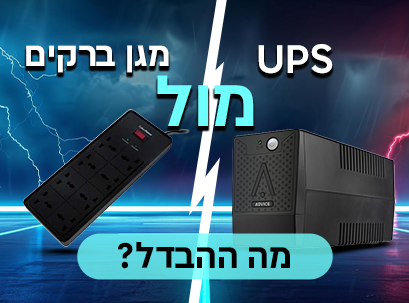
A technical and professional guide to protecting equipment and information in business
Protecting electrical infrastructure is one of the most common weak points in modern businesses.
Businesses invest in servers, powerful computers, NAS systems, network equipment, IP telephony, and cloud systems — but sometimes they simply connect everything to a lightning protector and think that's enough.
The incorrect assumption is:
"If it protects against power surges, it protects everything."
In practice — no.
A lightning arrester protects against momentary voltage surges.
A UPS protects against power outages, voltage drops, and data loss.
The difference between them is not marginal — it is the difference between a minor disruption and the shutdown of business activity.
Why is there any confusion at all?
At first glance, the two devices look similar:
- Number of sockets
- Power button
- Wall power cord
- Some promise of "protection"
But on the inside, these are completely different technologies.
The simple way to understand the difference:
A lightning protector responds to the problem.
A UPS actively manages the power.
As soon as the power goes out, the difference becomes very clear.
Types of real electrical problems in offices
Most people only think of a complete power outage. In reality, there are many types of power outages:
1. Voltage surges (Surge)
A very sharp and brief increase in voltage.
Caused by lightning, switching loads in the electrical network, or operating large motors.
2. Voltage drops (Brownout)
A drop below the normal voltage level for seconds or minutes.
3. Overvoltage
Higher than normal voltage for a longer period of time.
4. Micro-Outages
Millisecond disconnections — enough to reboot network equipment.
5. Frequency instability
Changes in AC frequency that may affect sensitive equipment.
6. Electrical noise and harmonic distortion
Formed from industrial equipment or heavy loads.
A lightning protector only handles one type: surge voltage.
UPS handles almost the entire list.
What is a lightning rod?
A lightning arrester is a passive component whose function is to absorb or divert excess voltage during a sharp surge.
It does not generate electricity.
Does not provide backup.
And does not regulate voltage continuously.
Its sole function: to prevent an abnormal voltage surge from reaching the devices.
How a lightning rod works (technical explanation)
Most lightning arresters use a component called:
MOV – Metal Oxide Varistor
When the voltage rises above a certain threshold, the MOV conducts the excess to ground, thus protecting the equipment.
Important concepts
Joule Rating
The amount of energy the shield is able to absorb before failure.
Clamping Voltage
The level at which the defense comes into play.
Response time
How quickly the device responds to a jump.
The main weakness
MOV component wears out over time.
Each surge slightly impairs its protective ability.
Eventually, it loses effectiveness — sometimes without a clear indication.
This means:
The shield may continue to transmit electricity—but it is no longer a shield.
What a lightning rod doesn't do
- Does not provide electrical backup
- Does not prevent data loss
- Does not regulate voltage
- Does not handle voltage drops
- Does not allow safe shutdown of servers
It is only a point solution.
What is UPS ?
UPS (Uninterruptible Power Supply) is an intelligent power management system that includes:
- Internal battery
- Voltage converter (Inverter)
- Voltage regulation system
- Surge protection
- Load control
It is essentially a small power plant that protects and provides electricity when needed.

UPS Types (Important to Understand)
UPS Offline / Standby
- Transfers electricity directly from the wall
- Switches to battery when paused
- Transition time: 6–10 milliseconds
Suitable for:
- Home computers
- Basic use
drawback:
- Small delay
- Limited regulation
UPS Line-Interactive (common for businesses)
Includes AVR – Automatic Voltage Regulation.
AVR corrects low or high voltage without switching to the battery.
Advantages:
- Extending battery life
- Effective treatment for stress fractures
- Higher stability
Suitable for:
- Office computers
- IN THE
- Switches and routers
- Small servers
This is the most balanced solution for small and medium-sized businesses.
UPS Online (Double Conversion)
The highest level of protection.
- Converts AC to DC and then back to AC
- There is no transition time at all.
- Provides a clean and stable sine wave
Suitable for:
- Server rooms
- Critical systems
- Medical equipment
A complete enterprise solution.
Why does data corruption occur?
Operating systems write information in the background all the time:
- Cache files
- Logs
- System updates
- RAID synchronization
- Database transactions
If the power goes out in the middle of writing:
- The file system may be damaged.
- Databases can become corrupted.
- RAID arrays may enter recovery
- Firmware updates may fail
A lightning rod does not prevent this.
UPS allows:
- Saving work
- Orderly shutdown
- Automatic Shutdown Script
Examples from the field
Small office
Without UPS:
- NAS shuts down suddenly
- RAID rebuild risk
- The net falls immediately.
With UPS:
- Network remains active
- NAS shuts down safely
- No data corruption
Retail store
Power outage in the middle of a transaction:
Without UPS:
- Loss of transaction
- Inconsistency in reports
With UPS:
- Completion of a transaction or orderly closing
Backup time vs. protection
Most office UPS systems provide 5–20 minutes of backup.
The goal:
- Allow saving
- Safe shutdown
- Bridging short disconnections
A UPS is not designed for full-time operation—but for protection and continuity.
How to choose the right UPS size
Step 1: Calculate total wattage consumption
Step 2: Add 20–30% margin
Step 3: Adjust VA rating
Step 4: Estimate desired backup time
example:
Computer: 300W
Screen: 40W
Router: 20W
Switch: 50W
Total: 410W
Recommendation: 650VA–1000VA depending on the desired time.
Direct comparison
| attribute | Lightning protector | UPS |
|---|---|---|
| Surge protection | yes | yes |
| Battery backup | not | yes |
| Voltage regulation | not | yes |
| Preventing data corruption | not | yes |
| Treatment of power outages | not | yes |
| Business continuity | not | yes |
When is a lightning rod enough?
- Television
- Non-critical household equipment
- Devices without important data
When is UPS mandatory ?
- Office computers
- IN THE
- Servers
- Network equipment
- IP telephony
- Security cameras
- Cash registers
- Any cloud-based business