
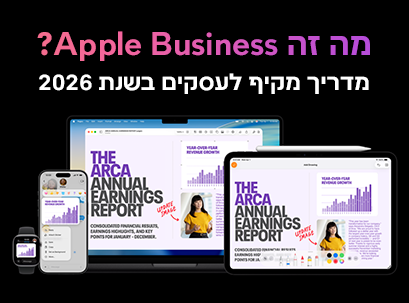
In 2026, Apple made a significant move and expanded its operations beyond the world of consumer products. Over the years, the company was primarily associated with products like the iPhone , Mac , and iPad , but now it is entering a new and strategically important area: business platforms for enterprises.
With the launch of Apple Business, Apple is offering an integrated solution designed to help organizations manage their devices, workforce, and customer presence — all within a single, unified, connected ecosystem.
For managers and IT professionals examining their organizational technology setup, this is a development that requires attention.
This guide explains what Apple Business is, how it works, and whether it's right for your business.
What is Apple Business?
Apple Business is a unified platform that enables organizations to manage their operations using only Apple tools and services. Instead of relying on a variety of third-party systems for device management, internal communications, IT support, and customer relationship management — Apple brings all of these capabilities together in one simple, unified platform.
In practice, Apple Business functions as a kind of business activity management system, combining:
- IT Management
- Internal communication tools
- Customer interaction capabilities
All within one, tightly integrated ecosystem.
In addition, the platform unifies several existing Apple services:
- Apple Business Essentials
- Apple Business Manager
- Apple Business Connect
Previously, each of these operated separately. Now, Apple Business unifies them under a single interface, reducing complexity for IT and operations teams.
Key features of Apple Business
Apple Business is built around four core capabilities, each of which addresses a different business need.
1. Device Management
Device management is one of the platform’s most mature and practical capabilities. Organizations can centrally manage all of their Apple equipment—including Macs, iPhones, and iPads—through a single dashboard.
Key capabilities include:
• Deployment and configuration of large-scale devices
• Enforce security policies and access controls
• Manage and distribute applications by teams and roles
• Monitoring device activity and meeting organizational requirements
One particularly notable capability for remote teams is Zero-Touch Deployment. This capability allows organizations to send devices directly to employees, with the device automatically configured upon first use—including pre-requisite apps, settings, and permissions. This significantly reduces the burden on IT teams and streamlines the onboarding process for new employees.
Although Apple Business includes built-in MDM (Mobile Device Management) capabilities, the platform is primarily aimed at small and medium-sized businesses with relatively simple IT needs. Compared to leading enterprise MDM solutions like Microsoft Intune, Jamf Pro, or VMware Workspace ONE, Apple's tools offer a simpler, more user-friendly management experience, but with fewer advanced customization, automation, and complex enterprise management capabilities. For businesses already operating fully within the Apple ecosystem, this solution may be sufficient, but larger organizations may still need a dedicated enterprise MDM solution.
2. Built-in communication and collaboration tools
Apple Business includes built-in communication tools that reduce dependency on external platforms.
The tools include:
- Business email with a customized domain
- Shared calendars
- Employee library
All tools are available directly from Apple devices, creating a more unified work environment.
Key advantage:
- Fewer systems to manage
- Less friction between platforms
- A simpler workflow
3. Employee management and access control
The platform provides tools for managing employee access and permissions in an organized manner.
Key capabilities:
- Assigning permissions by role
- Distributing applications by teams or employees
- Automation of the employee recruitment process
Meaning:
- Less manual work for IT staff
- Precise access to every employee
- Faster and more efficient absorption
4. Customer visibility and marketing tools
This is one of the most interesting areas of the platform.
Apple Business allows businesses to manage their visibility across services like:
- Apple Maps
- Siri
- Spotlight
What can be done:
- Update business details
- Manage locations
- Improve customer exposure
In addition, Apple is beginning to integrate advertising options within Apple Maps — indicating an entry into the world of local marketing, an area where Google has dominated to date.

How does Apple Business work?
The system operates through one central control panel.
From this interface you can:
- Manage devices
- Assign users and roles
- Set organizational policy
- Track activity
The platform is deeply integrated with Apple hardware and software, so:
- The devices operate uniformly
- Settings sync automatically
- Updates are managed efficiently
The setup process:
- Create an organizational account
- Adding employees and defining roles
- Device assignment and permissions
After that, most of the process becomes automated.
Apple Business vs. Google Workspace and Microsoft 365
Apple Business is entering a very competitive market.
Key differences
Apple Business
- Deep integration with Apple devices
- Suitable for organizations already working with Apple
Google Workspace
- Cloud-based
- Works on any device
Microsoft 365
- Comprehensive enterprise solution
- Particularly suitable for Windows environments
Apple Business Benefits
- Full integration between hardware and software
- Operational simplicity
- High level of security and privacy
Limitations
- Mainly suitable for Apple environments
- Less suitable for organizations with Windows
- Still lacking advanced features compared to competitors
Why is Apple Business important in 2026?
Entering the enterprise software market
Apple is no longer just a hardware company — it is building a complete business platform.
Change in local marketing
Advertising on Apple Maps opens a new channel for businesses.
Strengthening the ecosystem
The more businesses use Apple tools, the harder it is to switch to other systems.
Who is Apple Business suitable for?
Particularly suitable for:
- Small and medium-sized businesses using Apple devices
- Organizations looking for a simple IT management solution
- Teams without a full IT department
- Businesses that want to improve visibility with customers
Limitations and considerations
Before use, it is important to consider:
- Dependency on Apple system
- Partial maturity of the platform
- Possible future changes
Summary
Apple Business marks a significant shift in Apple's strategy.
The company is moving beyond just selling devices, and is building a complete business platform.
- For Apple users → A powerful and simple solution
- For others → A platform that is still developing
In the future, Apple Business may become a major player in the business world.
Frequently Asked Questions
What is Apple Business used for?
Manage devices, employees, internal communications, and business visibility — all from one system.
Is the service free?
The basic service is free, but advanced features may be paid.
What is the difference from Apple Business Manager?
Apple Business unifies multiple services into one platform.
Is it suitable for small businesses?
Yes, especially thanks to the simplicity and central management.