
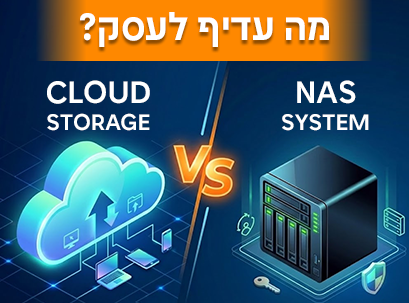
Business information has become one of the most important assets of any organization. From financial documents and customer data to project files, marketing materials and digital content, businesses are creating and storing more information than ever before. At the same time, employees expect to access files from anywhere, collaborate in real time and work from multiple devices.
As a result, many businesses find themselves asking an important question:
Should you store business information in the cloud, on a NAS system, or combine the two?
Cloud storage solutions like Microsoft OneDrive, SharePoint, Google Drive, and Dropbox have become extremely popular due to their convenience and ability to easily share information. However, as organizations grow, many find that the cloud is not necessarily the perfect solution for all types of information or every business scenario.
Before we dive into the comparison, it's worth understanding what NAS is. A NAS (Network Attached Storage) system is a central storage device that is connected to the corporate network and allows employees to store, share, and access files from a single location. You can think of it as a "private cloud" that the business itself owns and manages.
The truth is, there is no one-size-fits-all answer. The right choice depends on how your business operates, the type of information it manages, and the importance it places on control, security, performance, and cost.
In this guide, we will examine the benefits of cloud storage and NAS systems, understand the key differences between them, and help you choose the storage strategy that best suits your business in 2026.
Why are businesses rethinking their storage strategy in 2026?
A decade ago, most organizations stored files on local computers, internal servers, or external drives. Today, the reality is completely different.
The hybrid work model has become more common, with employees expecting to access files from anywhere, and teams working simultaneously from multiple offices and sometimes even from different countries.
At the same time, the volume of organizational information continues to grow.
A marketing agency might manage terabytes of video files. An architectural firm works with extremely large design files. Retail companies store years of sales, inventory, and customer information.
As the volume of information increases, the question is no longer just where to store the files.
Businesses are starting to ask more questions:
How easy is it for employees to access information?
Who really controls the data?
How much will storage cost in five years?
What happens if there is no internet connection?
How do you protect information from deletion or ransomware attacks?
These questions are causing many organizations to reexamine their storage strategy rather than automatically relying on just one solution.
What does cloud storage do well?
There's a reason why cloud storage has become the default solution for many businesses.
The most notable advantage is accessibility.
Employees can access files from almost anywhere with internet access. Whether working from home, on a business trip, or collaborating across multiple branches, the cloud enables easy access to information.
Additionally, cloud services have made collaboration much simpler.
Instead of emailing files back and forth, multiple employees can work on the same document simultaneously, view real-time updates, and track changes.
Another advantage is operational simplicity.
The business does not need to purchase hardware, replace failed drives, or manage a storage server. The service provider is responsible for most of the infrastructure, while the organization focuses on its business operations.
For many small and medium-sized businesses, this is a significant advantage.
Cloud storage is particularly suitable for organizations that:
Working in a hybrid or remote model
Need ongoing cooperation
Interested in rapid deployment?
Prefer a fixed monthly payment
Don't want to manage storage infrastructure themselves
However, convenience is not the only consideration.
What does a NAS system bring to the table?
While the cloud focuses on accessibility and simplicity, NAS focuses on control, ownership, and performance.
One of the biggest advantages of NAS is that the business owns the storage infrastructure itself.
Instead of renting storage space from an external provider, the organization has full control over the location of the data, access permissions, and how the information is managed.
For many businesses, especially those working with sensitive information, this level of control is very important.
Another advantage is performance.
When employees are on the same local network, accessing files via NAS is often faster than downloading and re-uploading files over the Internet.
This is especially noticeable when working with large files such as:
Videos
High resolution images
CAD drawings
Engineering files
Architectural plans
Marketing content libraries
In such cases, working directly with the NAS can significantly improve efficiency and the work experience.
It's also important to understand that modern NAS systems are not just a "network drive."
Business NAS solutions today offer advanced capabilities such as:
Automatic backups
Remote access
User and permission management
File synchronization
Version management
Virtual machine hosting
Security camera system management
Private cloud capabilities
As a result, NAS has become the center of corporate information management for many businesses.
The main differences between cloud storage and NAS
Although both solutions are designed to store information, they work completely differently.
| category | Cloud storage | IN THE |
|---|---|---|
| Ownership of information | Managed by the service provider | Owned by the business |
| Initial cost | Low | Higher |
| Current costs | Monthly or annual subscription | Usually more stable |
| Remote access | Built-in | Possible after setup |
| Local performance | Internet addicts | Usually faster |
| Information control | Relatively limited | Full control |
| expansion | Relatively simple | Depends on the severity |
| maintenance | Managed by the provider | Managed by the business |
There is no "good" or "bad" solution here.
The choice depends on the organization's needs and priorities.
Security, ownership and control of information
Information security is one of the key issues when comparing cloud and NAS.
Many assume that cloud services are more secure because large providers invest enormous resources in cybersecurity.
While this is true, it is important to understand that cloud security is based on a shared responsibility model.
The provider is responsible for its infrastructure, but the organization is still responsible for user management, permissions, access policies, and account security.
In NAS, the approach is different.
The business has full control over its storage environment and can determine how data will be managed, backed up, and secured.
On the one hand, it is about greater flexibility.
On the other hand, it means that the business bears greater responsibility.
The important point is that neither the cloud nor NAS are automatically more secure.
It all depends on how the solution is defined and managed.
The cost question: monthly subscription vs. full ownership
One of the most significant differences between cloud and NAS becomes apparent over time.
Cloud storage sometimes seems cheaper because there is no need to purchase hardware. You pay a monthly subscription and start working.
But these costs continue to accumulate.
As the number of users increases, the storage capacity expands and retention periods lengthen – so does the monthly expense.
NAS operates on a different model.
The initial investment is higher, but once set up, costs generally become more stable and predictable.
Does this mean that NAS is always cheaper?
Not necessarily.
The answer depends on several factors such as:
Number of users
The volume of information
Growth rate
Backup policy
Information retention requirements
For businesses that manage large amounts of data over years, NAS can offer a significant economic advantage.

Why do many businesses choose both solutions?
One of the common mistakes is thinking that you must choose between NAS and the cloud.
In practice, many businesses combine the two.
This approach allows you to enjoy the benefits of each solution.
NAS can serve as the organization's central storage system, while the cloud provides additional capabilities such as:
Remote work
File sharing
Off-site backup
Disaster recovery
Collaboration between teams
For example, a marketing agency can store large video files on a NAS and use Microsoft 365 for document sharing and collaboration.
An engineering firm can manage large design files on a NAS and incorporate cloud backup for additional protection.
For many organizations in 2026, the question is no longer:
"Cloud or NAS?"
but:
"How can we combine them in a smart way?"
Which option is right for your business?
If your organization is looking for a simple, flexible, and accessible solution from anywhere, cloud storage may be the right choice.
If your business works with large files, needs more control over information, or is looking for a solution with long-term value – NAS may be the right choice.
For many organizations, a combination of the two provides the best result.
The cloud excels in accessibility and collaboration.
NAS excels in ownership, performance, and control.
The right solution is the one that fits the way your business actually works.
Summary
Cloud storage has transformed the way businesses share information and work together. It provides convenience, access from anywhere, and excellent collaboration capabilities.
At the same time, NAS systems continue to offer significant advantages in the areas of control, performance, and long-term flexibility.
Instead of seeing the choice as a battle between two technologies, it is worth understanding what the business really needs.
For some organizations, the cloud will be the most suitable solution.
For others, NAS will provide significant benefits.
And for many, the best strategy in 2026 will be a smart combination of both worlds.
The goal is not just to store information.
The goal is to enable a business to access information, protect it, and grow with it over time.
FAQ
Is NAS cheaper than cloud storage?
It depends on the number of users, the storage capacity, and the length of time the data is kept. NAS requires a higher initial investment, while the cloud is based on an ongoing payment.
Can a NAS replace OneDrive or Google Drive?
In many cases, yes. Modern NAS systems offer file sharing, synchronization, remote access, and collaboration tools. However, many businesses choose to combine the solutions.
Is cloud storage more secure than NAS?
Not necessarily. Information security depends on how the system is configured and managed, whether it's in the cloud or on a NAS.
Do I still need backups if I use the cloud?
Yes. Cloud storage does not replace a backup and disaster recovery strategy.
Can the NAS be accessed outside the office?
Yes. Most modern NAS systems support secure remote access once properly configured.